
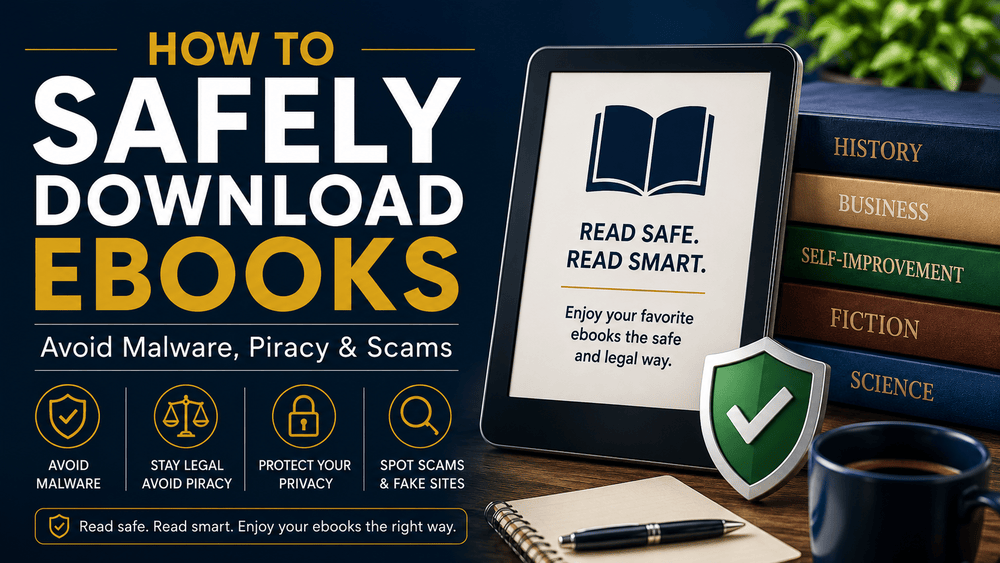
The internet has made it easier than ever to access eBooks on virtually any topic. Whether you're looking for business guides, historical references, fiction, self-improvement resources, or educational materials, a quick search can reveal thousands of options. However, not every eBook download source is trustworthy.

Many readers unknowingly expose themselves to malware, phishing scams, identity theft, or illegal content while searching for free or discounted eBooks. Learning how to safely download eBooks can protect your devices, personal information, and digital reading experience.
In this guide, you'll learn how to identify legitimate eBook sources, avoid common scams, and download eBooks safely and legally.
Why eBook Safety Matters
eBooks themselves are generally harmless. The real danger comes from the websites and files used to distribute them.
Cybercriminals often target eBook seekers because people are willing to click unfamiliar links in search of free content. Some websites disguise malicious software as eBook files, while others use fake download buttons to trick visitors into installing unwanted programs.
Common risks include:
- Malware infections
- Ransomware attacks
- Identity theft
- Phishing scams
- Spyware installation
- Illegal downloads that violate copyright laws
Taking a few extra minutes to verify a source can save you significant trouble later.
Download eBooks Only from Trusted Sources
The safest way to download eBooks is to use reputable platforms. Examples of legitimate eBook sources include:
- Amazon Kindle Store
- Google Play Books
- Apple Books
- Kobo
- Barnes & Noble Nook
- Project Gutenberg
- Internet Archive
- Author websites
- Independent digital bookstores
Trusted stores have established reputations and secure payment systems. They also provide clear information about the eBook format, publisher, and licensing terms.
If you're purchasing eBooks, verify that the website uses HTTPS encryption. You should see a padlock icon in your browser's address bar.
Be Careful with "Free eBook" Offers
Everyone loves free content, but some free eBook offers are designed to attract clicks rather than provide genuine value.
Red flags include:
- Excessive pop-up advertisements
- Forced software downloads
- Multiple fake download buttons
- Requests for unusual permissions
- Suspicious redirects to unrelated websites
Legitimate free eBooks typically come from:
- Public domain collections
- Promotional author giveaways
- Educational institutions
- Government publications
- Libraries and archives
Before downloading anything, ask yourself whether the source appears professional and transparent.
Verify File Formats Before Downloading
Understanding eBook file formats can help you spot suspicious downloads. Common eBook formats include:
EPUB
EPUB is one of the most widely used eBook formats and is supported by many e-readers and apps.
PDF files preserve formatting and are commonly used for guides, reports, and educational materials.
MOBI
MOBI was originally designed for Kindle devices, though newer Kindle formats have largely replaced it.
AZW and KFX
These are Amazon Kindle formats.
Be cautious if an eBook is offered as:
- EXE files
- BAT files
- SCR files
- ZIP archives from unknown sources
Most eBooks should not require executable files to be opened. If a website claims you must install software before reading a simple eBook, proceed carefully.
Watch Out for Fake Download Buttons
One of the most common eBook scams involves fake download buttons. Some websites display several large buttons labeled "Download Now." Clicking them may lead to:
- Advertising pages
- Browser extensions
- Malware downloads
- Subscription traps
To avoid this problem:
- Read the page carefully
- Look for the actual file name
- Verify the file size
- Avoid clicking flashing advertisements
- Use reputable download sources whenever possible
If a page looks cluttered or intentionally confusing, it's often best to leave.
Avoid Pirated eBook Websites
Downloading pirated eBooks can expose you to both legal and security risks. Piracy websites frequently:
- Host infected files
- Display aggressive advertisements
- Redirect users to malicious pages
- Collect personal information
Beyond the security concerns, piracy harms authors, publishers, researchers, and creators who invest time and resources into producing valuable content.
Supporting legitimate eBook sellers helps ensure that authors can continue creating quality work.
Check Reviews and Reputation
Before downloading from an unfamiliar website, take a moment to research its reputation. Look for:
- Customer reviews
- Reader testimonials
- Independent discussions
- Social media presence
- Clear contact information
A trustworthy eBook seller will usually have:
- A professional website
- Transparent policies
- Customer support options
- Consistent branding
If you cannot find any information about a website, exercise caution.
Use Antivirus Protection
A reliable antivirus program adds an extra layer of protection when downloading digital files. Modern security software can:
- Scan downloaded files
- Block malicious websites
- Detect suspicious behavior
- Prevent malware installation
While antivirus software is helpful, it should complement good browsing habits rather than replace them.
Even the best security tools cannot fully protect users who repeatedly download files from questionable sources.
Protect Your Personal Information
Legitimate eBook downloads rarely require excessive personal information. Be cautious if a website asks for:
- Government identification
- Banking details unrelated to payment
- Social security numbers
- Unnecessary personal data
When purchasing eBooks, use secure payment methods such as:
- Credit cards
- PayPal
- Trusted digital wallets
Avoid sharing more information than necessary.
Use Official Reading Apps
Official reading apps reduce compatibility issues and improve security. Examples include:
- Kindle App
- Kobo App
- Apple Books
- Google Play Books
Official apps receive regular updates and security improvements. Downloading unofficial reading software from unknown websites can create unnecessary risks.
Check Copyright and Licensing Terms
Not all freely available eBooks are legal to download. Always verify whether:
- The eBook is in the public domain
- The author has granted permission
- The publisher offers the download legally
Public domain resources such as Project Gutenberg provide thousands of legal eBooks at no cost. Understanding licensing helps readers stay on the right side of copyright laws while supporting creators.
Back Up Your eBook Library
Building a digital library takes time and money. Protect your collection by creating backups. Options include:
- Cloud storage
- External hard drives
- Secure local backups
Backing up your eBook collection ensures you can recover your files if a device fails or becomes compromised.
Signs an eBook Website May Be Unsafe
Consider leaving a website if you notice:
- Poor grammar throughout the site
- Excessive pop-up windows
- Suspicious redirects
- Unrealistic promises
- Downloads requiring executable files
- No contact information
- No privacy policy
- Aggressive advertising
Trust your instincts. If something feels suspicious, there are usually safer alternatives available.
Final Thoughts
Downloading eBooks safely is about more than finding the lowest price or a free copy. It's about protecting your devices, personal information, and digital reading experience. The safest approach is to download eBooks from trusted sources, verify file formats, avoid piracy websites, and remain alert for phishing attempts and fake download buttons. A few simple precautions can dramatically reduce your risk of malware, scams, and legal issues.
Whether you're building a personal library, learning new skills, or exploring your favorite topics, choosing legitimate eBook sources helps ensure a safer and more enjoyable reading experience. By following these best practices, you can focus on what truly matters: discovering great eBooks and enjoying the knowledge, entertainment, and inspiration they provide.
***
Check out these eBooks that you can purchase and download from my store:
- Churches of Nueva Ecija (Cabiao, San Isidro, Gapan, and San Antonio) eBook
- Echoes of San Antonio: The Last Heritage Houses
- True Philippine Ghost Stories eBook Collection (Books 1–37): Complete Bundle of Classic Filipino Horror | Nostalgic & Spine-Chilling Reads
- Over 50,000 Resellable eBooks: Your Ready-Made Digital Business Solution
- TikTok Shop / Affiliate Marketing Blueprint 2026
***
Similar stories:
Comments ()